Deep Diving Into Terraform Architecture and Infrastructure Design

Deep Diving Into Terraform Architecture and Infrastructure Design
If you’ve moved past the basics of Terraform and you’re now staring at a growing codebase wondering how to keep it clean, scalable, and actually maintainable — this guide is for you.
This is written for DevOps engineers, cloud architects, and platform teams who are already writing Infrastructure as Code but want to level up how they think about structure, scale, and security. If you’re managing cloud infrastructure across multiple environments or teams, you’ll find something useful here.
Here’s what we’re getting into:
- Terraform architecture and state management — how Terraform actually works under the hood, and why getting your state setup right from day one saves you a ton of headaches later
- Scalable cloud infrastructure design with Terraform modules and patterns — how to build reusable, composable infrastructure that doesn’t fall apart as your team grows
- IaC security best practices — how to bake security into your Terraform code from the start instead of bolting it on after the fact
By the end, you’ll have a clearer picture of Terraform design patterns that work in the real world — not just in tutorial environments — and practical ways to optimize your Terraform code without starting from scratch.
Let’s get into it.
Core Building Blocks of Terraform Architecture
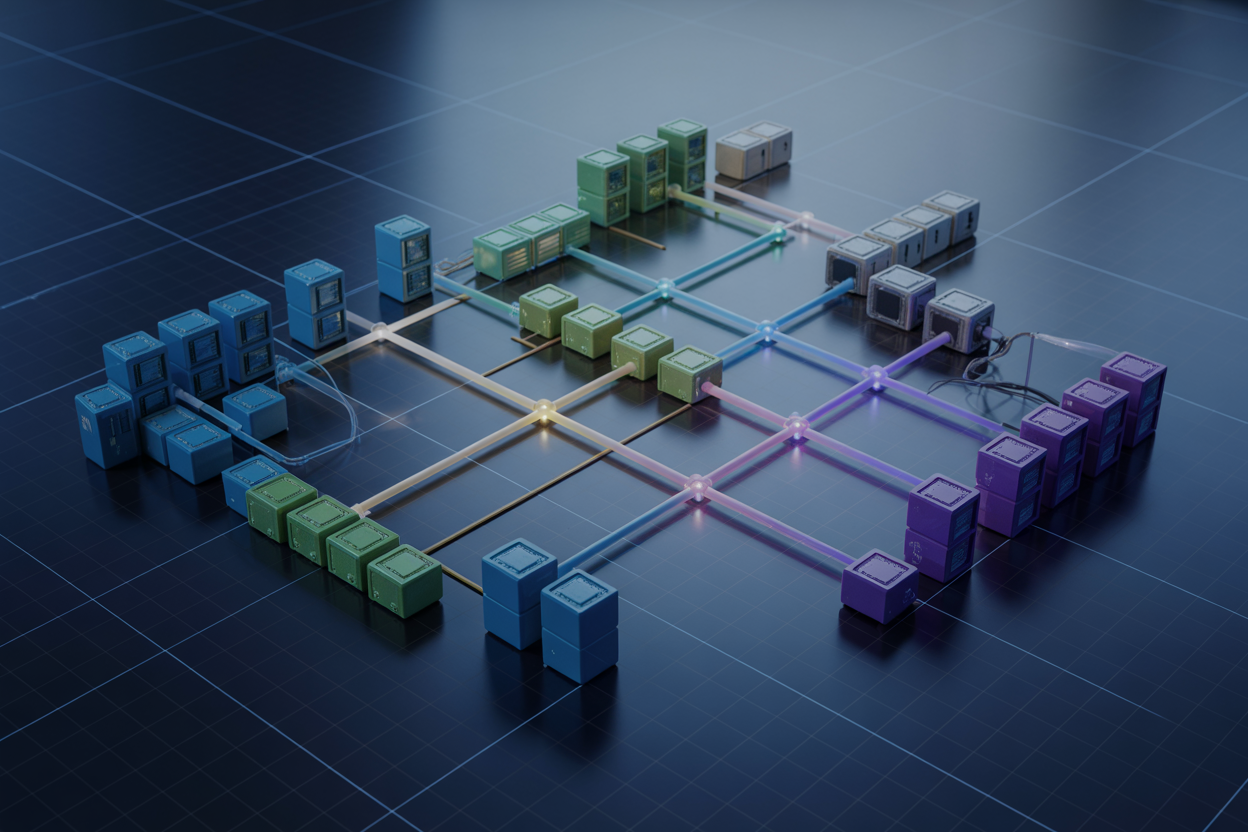
Understand Providers and How They Connect to Cloud Platforms
Providers are basically the bridge between Terraform and the outside world. Each provider is a plugin that knows how to talk to a specific platform — AWS, Azure, Google Cloud, GitHub, Datadog, you name it. When you declare a provider in your configuration, Terraform downloads it during terraform init and uses it to make API calls on your behalf.
- Providers are versioned independently from Terraform core, so you can pin specific versions to avoid breaking changes
- A single Terraform project can use multiple providers at once — mix AWS with Cloudflare or combine Azure with Kubernetes without any friction
- Provider authentication is typically handled through environment variables, shared credentials files, or service account keys
provider "aws" {
  region = "us-east-1"
}
Master the Role of State Files in Tracking Infrastructure
Managing Terraform state files correctly is one of the most important things you can get right early on. The state file is a JSON snapshot of everything Terraform knows about your infrastructure — resource IDs, metadata, dependencies, and attribute values. Without it, Terraform has no memory of what it already created.
- State maps your configuration to real-world resources, so Terraform can calculate what needs to change
- Local state works fine solo, but the moment a team gets involved, remote backends like S3 with DynamoDB locking or Terraform Cloud become essential
- State files can contain sensitive data like passwords and private keys, so encrypting them at rest is non-negotiable
- Never manually edit the state file — use
terraform state mv,terraform state rm, orterraform importinstead
The biggest mistake teams make is treating state as an afterthought. Once your infrastructure grows, a corrupted or out-of-sync state file becomes a serious incident, not just an inconvenience.
Leverage Modules to Build Reusable and Scalable Components
Terraform modules are the closest thing to functions in infrastructure code. A module is just a folder of .tf files that accepts inputs and produces outputs, and you can call it as many times as you need across different environments or projects. This is where scalable cloud infrastructure design really starts to take shape.
- Root modules are your entry point — every Terraform project has one by default
- Child modules get called from the root (or other modules) using a
moduleblock with input variables - Public modules from the Terraform Registry give you a solid starting point for common patterns like VPCs, EKS clusters, or IAM roles
- Well-scoped modules should do one thing well — avoid building “mega-modules” that try to own too much infrastructure
module "vpc" {
  source  = "terraform-aws-modules/vpc/aws"
  version = "5.1.0"

  name = "my-vpc"
  cidr = "10.0.0.0/16"
}
Reusable Terraform modules dramatically cut down on copy-paste configurations and make onboarding new team members way easier since the patterns are already encoded.
Grasp How the Terraform Core Engine Processes Configurations
The Terraform core engine is the brain of the whole operation. When you run terraform plan or terraform apply, a very deliberate sequence of steps kicks off behind the scenes.
Here’s how it flows:
- Load and parse — Terraform reads all
.tffiles in the working directory and builds an in-memory representation of your desired state - Refresh — It queries existing infrastructure (via providers) to get the actual current state and reconciles that against the stored state file
- Build dependency graph — Terraform constructs a directed acyclic graph (DAG) of all resources, figuring out which ones depend on each other
- Plan — The engine diffs desired state against current state and produces a human-readable execution plan showing what will be created, updated, or destroyed
- Apply — Resources are created or modified in dependency order, with independent resources handled in parallel for speed
The dependency graph is what makes Terraform smart. If your EC2 instance needs a security group, Terraform automatically knows to create the security group first — you don’t have to spell out that ordering manually. This graph-based approach is also what enables Terraform code optimization at scale, since parallel execution across unrelated resources cuts down provisioning time significantly.
Designing Scalable Infrastructure With Terraform

Structure Projects to Support Large-Scale Deployments
Breaking your Terraform project into logical layers keeps things manageable as your cloud infrastructure automation grows. A flat file structure works fine for small projects, but once you’re dealing with dozens of resources across multiple teams, you’ll want to split things up by domain — networking, compute, databases — each living in its own directory with its own state file.
- Root module: Acts as the entry point, calling child modules and passing variables
- Environment directories: Separate folders for
dev,staging, andprodprevent accidental cross-environment changes - Shared modules library: Reusable Terraform modules and patterns stored centrally cut duplication and enforce standards across teams
Separate Environments Effectively Using Workspaces
Terraform workspaces let you run the same configuration against different environments without duplicating code. That said, workspaces work best for lightweight environment separation — think feature branches or short-lived test environments. For production-grade scalable cloud infrastructure design, pairing workspaces with separate variable files gives you the isolation you actually need:
terraform workspace new stagingspins up a clean slate- Variable files like
staging.tfvarscarry environment-specific values - State files stay isolated per workspace, reducing blast radius during changes
Apply Consistent Naming Conventions for Easier Management
Good naming is one of those Infrastructure as Code best practices that pays off quietly over time. When every resource follows a predictable pattern like {project}-{environment}-{resource}-{region}, searching logs, debugging permissions, and onboarding new teammates becomes dramatically faster.
- Use lowercase letters and hyphens — most cloud providers prefer it
- Include environment identifiers (
prod,dev) early in the name - Encode the region or team name where resources might span multiple locations
Managing State for Reliable Infrastructure Operations

Store State Remotely to Enable Team Collaboration
Managing Terraform state management effectively starts with moving your state files off local machines. When state lives locally, only one person can reliably work on infrastructure at a time, and the risk of losing critical data skyrockets. Remote backends like AWS S3, Azure Blob Storage, Google Cloud Storage, or Terraform Cloud solve this completely.
Here’s what a basic S3 backend configuration looks like:
terraform {
  backend "s3" {
    bucket = "my-terraform-state"
    key    = "prod/terraform.tfstate"
    region = "us-east-1"
  }
}
Key benefits of remote state storage:
- Team visibility — Everyone pulls from the same source of truth
- Auditability — Cloud storage services log every access and modification
- Durability — Built-in redundancy protects against hardware failures
- CI/CD compatibility — Pipelines can read and write state without manual intervention
Protect Critical Infrastructure With State Locking
State locking prevents two people or two pipeline runs from modifying infrastructure at the same time. Without it, concurrent applies can corrupt your state file, leaving your cloud infrastructure automation in a broken, unpredictable state.
Most remote backends support locking natively:
- AWS S3 + DynamoDB — S3 stores the state while DynamoDB handles the lock table
- Terraform Cloud — Locking is built-in with no extra configuration
- Azure Blob Storage — Uses native blob leasing for locking
A DynamoDB lock table setup pairs with your S3 backend like this:
terraform {
  backend "s3" {
    bucket         = "my-terraform-state"
    key            = "prod/terraform.tfstate"
    region         = "us-east-1"
    dynamodb_table = "terraform-locks"
    encrypt        = true
  }
}
When Terraform runs an apply, it writes a lock entry to DynamoDB. Any other process trying to apply simultaneously gets blocked until the first run finishes cleanly.
Recover Quickly by Understanding State Backup Strategies
Even with remote storage, accidents happen. Someone runs terraform state rm on the wrong resource, or a bad apply partially updates state before failing. Having a solid backup strategy means the difference between a five-minute recovery and a multi-hour disaster.
Practical backup approaches:
- Enable versioning on your storage bucket — S3 and GCS both support object versioning, keeping a full history of every state change
- Use Terraform Cloud’s built-in history — Every run automatically snapshots state before and after changes
- Periodic automated exports — Schedule scripts to copy state files to a secondary bucket or archive them with timestamps
- Test your restore process — A backup you’ve never restored is just a file sitting somewhere; practice pulling older versions
Restoring a previous state version with S3 versioning is as simple as identifying the version ID and pulling it back:
aws s3api get-object \
  --bucket my-terraform-state \
  --key prod/terraform.tfstate \
  --version-id <VERSION_ID> \
  terraform.tfstate
Reduce Risk by Isolating State Across Environments
Mixing development, staging, and production state into a single file is one of the most dangerous things you can do when managing Terraform state files. A botched plan in dev could accidentally affect prod resources if they share state.
Three common isolation patterns:
-
Separate directories per environment
environments/
├── dev/
│   └── main.tf
├── staging/
│   └── main.tf
└── prod/
    └── main.tf
Each directory has its own backend configuration pointing to a unique state file.
-
Terraform Workspaces — Built-in workspace support lets you switch contexts with
terraform workspace select prod, keeping separate state per workspace within the same configuration. Best for lightweight isolation needs. -
Separate accounts or projects — For strict Infrastructure as Code best practices, running each environment in its own cloud account creates a hard boundary. Even if state files were somehow shared, blast radius stays contained.
The general rule: prod state should never live alongside dev state. Separate backends, separate keys, separate access controls — no exceptions.
Writing Efficient and Maintainable Terraform Code

Use Variables and Locals to Eliminate Redundancy
Hardcoding values scattered across your Terraform files is a nightmare to maintain. Variables let you define inputs once and reuse them everywhere, while locals help you compute derived values without repeating logic.
- Use
variableblocks for values that change between environments (region, instance size, tags) - Use
localsfor computed or repeated expressions like tag maps or naming conventions - Keep default values sensible so modules work out of the box without extra configuration
locals {
  common_tags = {
    Environment = var.environment
    Project     = var.project_name
    ManagedBy   = "Terraform"
  }
}
Simplify Outputs to Share Data Across Modules
Outputs are how modules talk to each other. When you design them thoughtfully, you avoid messy workarounds and tight coupling between your infrastructure components.
- Only expose what other modules actually need — keep outputs focused
- Name outputs clearly so their purpose is obvious (
vpc_id,subnet_ids,db_endpoint) - Reference outputs from root modules to wire components together cleanly
Enforce Code Quality With Formatting and Validation Tools
Terraform code optimization starts with consistency. Sloppy formatting and unchecked syntax slow down reviews and introduce bugs.
- Run
terraform fmtbefore every commit to auto-format code - Use
terraform validateto catch configuration errors early - Integrate tools like tflint, checkov, or terrascan into your CI pipeline for deeper static analysis
- Add pre-commit hooks so quality checks run automatically before code lands in the repo
Improve Readability by Organizing Files Logically
A well-organized Terraform directory tells a story at a glance. Anyone jumping into the codebase should immediately understand what each file does.
Recommended file structure:
| File | Purpose |
|---|---|
main.tf |
Core resource definitions |
variables.tf |
All input variable declarations |
outputs.tf |
Module outputs |
locals.tf |
Local value computations |
providers.tf |
Provider and backend configuration |
versions.tf |
Terraform and provider version constraints |
This separation makes it easy to scan, debug, and onboard new team members without digging through walls of mixed code.
Speed Up Iterations by Mastering Plan and Apply Workflows
The plan and apply cycle is your feedback loop — the tighter it is, the faster you ship reliable infrastructure as code changes.
- Always review
terraform planoutput carefully before applying, especially fordestroyactions - Use
-targetflag sparingly and only during debugging, not as a regular workflow - Pass
-var-fileflags to load environment-specific variables cleanly - In CI/CD pipelines, save plan output as an artifact (
terraform plan -out=tfplan) and apply exactly that plan to avoid drift between review and execution - Use
terraform refreshwith caution in production — it can overwrite your state with unexpected real-world drift
Getting comfortable with these workflows directly supports scalable cloud infrastructure design because confident, repeatable deployments prevent the kind of ad-hoc changes that break things at scale.
Implementing Advanced Terraform Design Patterns

Build Dynamic Configurations Using Loops and Conditionals
Terraform’s for_each and count meta-arguments let you spin up multiple resources without copy-pasting blocks endlessly. Pair them with conditional expressions like condition ? true_val : false_val to toggle resources based on environment variables:
- Use
for_eachover a map to create named resources with unique identifiers - Apply
count = var.enable_feature ? 1 : 0to create optional infrastructure components - Combine
dynamicblocks withforexpressions for nested configurations like security group rules
resource "aws_s3_bucket" "env_buckets" {
  for_each = toset(var.environments)
  bucket   = "${each.key}-app-data"
}
Manage Dependencies Explicitly to Avoid Deployment Failures
Terraform resolves most dependencies automatically through resource references, but some relationships stay invisible to the dependency graph. That’s where depends_on saves you from random deployment failures:
- Always declare explicit dependencies between resources that share a logical relationship but no direct reference
- Avoid overusing
depends_onon modules — it forces sequential execution and kills parallelism - Use
datasources carefully; they evaluate during plan, not apply, which can cause race conditions with newly created resources
This approach keeps your Terraform design patterns clean and makes troubleshooting broken deployments much faster.
Integrate Terraform With CI/CD Pipelines for Automation
Cloud infrastructure automation really shines when Terraform runs are triggered automatically through pipelines rather than manually from someone’s laptop:
- Run
terraform planon pull requests so teams can review infrastructure changes before merging - Store plan output as an artifact and use it in the
applystage to guarantee consistency - Gate applies behind manual approval steps for production environments using tools like GitHub Actions, GitLab CI, or Atlantis
- Always pass
-lock=trueand configure remote backends to prevent concurrent state modifications during automated runs
Securing Infrastructure Definitions From the Ground Up

Protect Sensitive Data by Managing Secrets Safely
Hardcoding credentials directly into Terraform files is a fast track to a security nightmare. Instead, lean on tools like HashiCorp Vault, AWS Secrets Manager, or environment variables to keep sensitive values out of your codebase and away from version control. Mark outputs containing sensitive data with sensitive = true to prevent accidental exposure in logs.
- Store secrets in dedicated secret management tools, never in
.tffiles - Use
sensitive = trueon variables and outputs holding credentials - Add
.tfvarsfiles containing secrets to.gitignore - Rotate credentials regularly and audit access logs
Enforce Least Privilege Through Provider Authentication
Provider authentication is where IaC security best practices really start to matter. Each Terraform provider should authenticate using a role or service account that carries only the permissions needed for that specific job — nothing more. For AWS, that means short-lived IAM roles via OIDC instead of long-lived access keys. For Azure, managed identities beat stored credentials every time.
- Assign dedicated service accounts per environment (dev, staging, production)
- Use short-lived tokens over static credentials wherever possible
- Restrict provider permissions to only the resources Terraform actually manages
- Rotate and audit authentication credentials on a scheduled basis
Audit Infrastructure Changes With Policy as Code Tools
Policy as code tools like Open Policy Agent (OPA), Sentinel, or Checkov let you catch misconfigurations before they ever reach your cloud environment. Plugging these into your CI/CD pipeline means every terraform plan output gets scanned against your security rules automatically — blocking non-compliant changes before they’re applied.
- Use Checkov or tfsec for static analysis on Terraform code
- Integrate Sentinel policies directly into Terraform Cloud/Enterprise workflows
- Define rules that block publicly exposed storage buckets, unencrypted disks, or overly permissive security groups
- Store policy definitions in version control alongside your Terraform code for full traceability

Terraform’s architecture gives you a solid foundation to build, scale, and manage infrastructure in a way that’s repeatable and predictable. From understanding the core building blocks to writing clean, maintainable code, every piece of the puzzle plays a role in keeping your infrastructure healthy and your team sane. State management keeps everything in sync, advanced design patterns help you tackle complexity, and baking security in from the start means you’re not scrambling to fix gaps later.
If you’re looking to level up your infrastructure game, start small — pick one area from this guide and apply it to a real project. Get comfortable with how Terraform thinks, then layer in the more advanced patterns as your needs grow. The more intentional you are about your design choices early on, the easier everything becomes down the road.
The post Deep Diving Into Terraform Architecture and Infrastructure Design first appeared on Business Compass LLC.
from Business Compass LLC https://ift.tt/94Yl1gh
via IFTTT


Comments
Post a Comment