AWS MWAA Private Web UI: Load Balancer Setup and Security Best Practices

Setting up secure private access to your AWS MWAA private web UI requires careful planning around load balancer configuration and network security. This guide is designed for DevOps engineers, cloud architects, and platform teams who need to implement production-ready Apache Airflow private access while maintaining strict security standards.
Managing MWAA in a private network brings unique challenges around connectivity, authentication, and performance. Many teams struggle with balancing security requirements against operational needs when configuring their AWS MWAA security best practices.
We’ll walk through the essential components of MWAA load balancer configuration, showing you how to set up Application Load Balancers that provide reliable access to your Airflow environment. You’ll also learn proven techniques for MWAA network security implementation, including VPC configuration, security groups, and IAM policies that protect your workflows without blocking legitimate access. Finally, we’ll cover MWAA performance optimization strategies and monitoring approaches that help you maintain visibility into your private Airflow environment while ensuring optimal response times for your team.
Understanding AWS MWAA Private Web UI Architecture
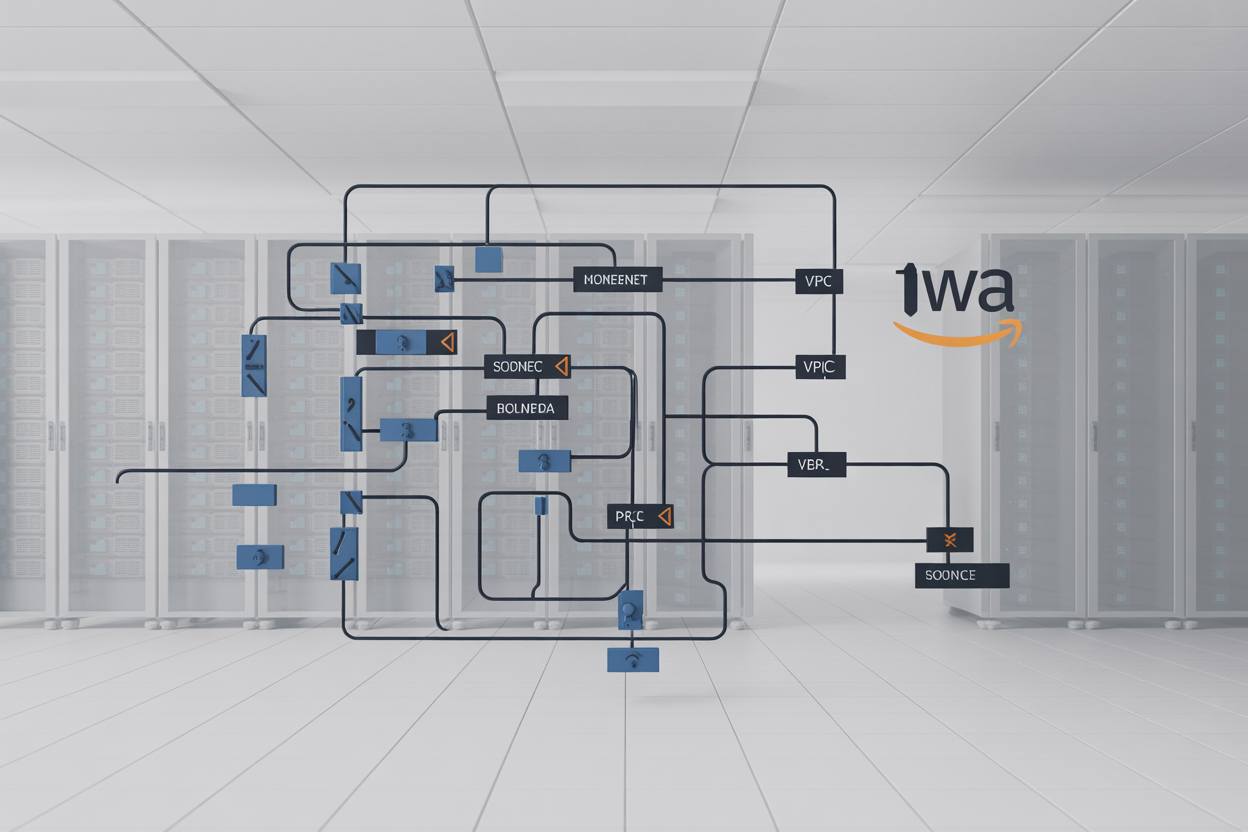
Core components of MWAA private network setup
AWS MWAA private web UI operates within a VPC-based architecture that isolates Apache Airflow components from public internet access. The core setup includes dedicated subnets for the Airflow web server, scheduler, and worker nodes, all protected by security groups and NACLs. The private configuration requires an Application Load Balancer to route traffic through your corporate network, while the RDS database backend remains encrypted and isolated within private subnets. This architecture ensures sensitive workflow data never traverses public networks, making it ideal for organizations with strict compliance requirements.
Web server isolation benefits for enterprise environments
Private web server isolation provides significant security advantages for enterprise AWS MWAA deployments by eliminating direct internet exposure of your Apache Airflow interface. This configuration prevents unauthorized access attempts, reduces attack surface area, and ensures compliance with corporate security policies that prohibit public-facing administrative interfaces. The isolated environment allows granular access control through VPC endpoints and private connectivity solutions, while maintaining full functionality for authorized users accessing through approved network paths like VPN or Direct Connect.
Network topology requirements for secure access
Secure MWAA private network configuration demands a well-architected VPC topology with multiple availability zones for high availability. Your setup needs private subnets for MWAA components, public subnets for NAT gateways enabling outbound internet access, and carefully configured route tables directing traffic flow. Security groups must allow specific ports (443 for web UI, database ports for RDS) while blocking unnecessary traffic. VPC endpoints for S3 and other AWS services reduce data transfer costs and improve security by keeping traffic within the AWS backbone network.
Integration points with existing AWS infrastructure
MWAA private web UI integrates seamlessly with existing AWS infrastructure through multiple connection points including VPC peering, Transit Gateway, and AWS PrivateLink endpoints. The service connects to your organization’s Identity and Access Management systems through IAM roles and policies, while S3 buckets store DAGs and logs with appropriate bucket policies. CloudWatch integration provides comprehensive monitoring and alerting capabilities, while AWS Secrets Manager handles sensitive credentials used by Airflow workflows. These integration points create a cohesive data platform that leverages your existing AWS investments while maintaining security boundaries.
Load Balancer Configuration for MWAA Private Access

Application Load Balancer setup and placement strategy
An Application Load Balancer (ALB) serves as the entry point for your AWS MWAA private web UI, sitting between your internal users and the Airflow environment. Position the ALB in public subnets across multiple Availability Zones while keeping MWAA resources in private subnets for optimal security isolation. This setup creates a secure bridge that allows authorized users to access the Apache Airflow interface without exposing the underlying infrastructure to external threats.
Target group configuration for MWAA web servers
Configure target groups to route traffic specifically to MWAA web server instances using IP-based targeting. Set the protocol to HTTPS on port 443 and enable sticky sessions to maintain user connections during active workflows. Register MWAA environment endpoints as targets, ensuring proper deregistration delays to handle graceful shutdowns. The target group should include proper health check paths pointing to MWAA’s health endpoints for accurate service availability detection.
Health check optimization for reliable routing
Fine-tune health check parameters to match MWAA’s response patterns and avoid false positives. Set health check intervals to 30 seconds with a timeout of 5 seconds, requiring 2 consecutive successful checks before marking targets healthy. Use the /health endpoint path with expected HTTP 200 response codes. Configure unhealthy threshold to 3 consecutive failures to prevent premature target removal during temporary MWAA processing spikes or maintenance operations.
SSL termination and certificate management
Implement SSL termination at the load balancer level using AWS Certificate Manager (ACM) certificates for your MWAA private web UI domain. Configure HTTPS listeners on port 443 with strong cipher suites and disable weak protocols like SSLv3. Set up automatic certificate renewal through ACM to prevent service interruptions. Redirect HTTP traffic to HTTPS to enforce encrypted connections and add security headers like HSTS to strengthen the overall security posture of your Apache Airflow private access setup.
Cross-zone load balancing for high availability
Enable cross-zone load balancing to distribute traffic evenly across all registered targets regardless of their Availability Zone location. This feature becomes critical for MWAA load balancer configuration when dealing with uneven target distribution or zone-specific failures. Cross-zone balancing ensures consistent user experience and prevents hot-spotting issues that could impact Apache Airflow performance during peak usage periods or infrastructure maintenance windows.
Network Security Implementation
VPC Configuration and Subnet Isolation Techniques
Proper VPC configuration forms the foundation of MWAA network security implementation. Create dedicated private subnets across multiple availability zones to ensure high availability while maintaining strict network isolation. Deploy your MWAA environment exclusively in private subnets with no internet gateways attached. Configure separate subnets for different components – one for MWAA resources, another for the load balancer, and a third for database connections. This segmentation approach prevents lateral movement between network layers and reduces attack surface. Use CIDR blocks that don’t overlap with on-premises networks to avoid routing conflicts during hybrid cloud deployments.
Security Group Rules for Controlled Access
Security groups act as virtual firewalls controlling traffic flow to your AWS MWAA private web UI. Create specific security groups for each component with minimal required permissions. The MWAA security group should only allow inbound traffic from the load balancer security group on port 443. Configure the load balancer security group to accept HTTPS traffic from specific IP ranges or corporate networks only. Block all unnecessary ports and protocols by default, following the principle of least privilege. Implement separate security groups for database access, allowing only MWAA resources to connect on required database ports. Regularly audit and review security group rules to remove unused permissions and ensure compliance with security policies.
Network ACL Policies for Additional Protection
Network ACLs provide an extra layer of defense beyond security groups for your MWAA network security implementation. Configure custom network ACLs for private subnets hosting MWAA resources with explicit deny rules for common attack vectors. Block traffic on suspicious ports and implement time-based access controls where appropriate. Create separate ACL rules for different subnet tiers, with the most restrictive policies applied to MWAA application subnets. Use stateless ACL rules to monitor both inbound and outbound traffic patterns. Implement logging for denied traffic to identify potential security threats and unauthorized access attempts. Network ACLs should complement, not replace, security group configurations for comprehensive protection.
Private Subnet Routing for Maximum Security
Design routing tables that prevent direct internet access while enabling secure connectivity for AWS MWAA private web UI operations. Route all outbound traffic through NAT gateways placed in public subnets for software updates and external API calls. Configure VPC endpoints for AWS services like S3, CloudWatch, and Systems Manager to keep traffic within the AWS network backbone. Implement custom route tables for each private subnet tier with specific routes to required resources only. Use Transit Gateway or VPC peering for secure cross-VPC communication when connecting to shared services. Avoid default routes to internet gateways in private subnet routing tables. Monitor route table changes through CloudTrail to detect unauthorized modifications that could compromise network security.
Authentication and Authorization Controls

IAM role-based access management
IAM roles form the foundation of AWS MWAA private web UI security, controlling who can access your Apache Airflow environment. Create granular policies that restrict access to specific MWAA operations, DAG management, and task execution permissions. Assign roles based on team responsibilities – data engineers need different access levels than administrators. Configure resource-based policies to control cross-account access and ensure least privilege principles. Regularly audit role assignments and remove unnecessary permissions to maintain secure AWS managed Airflow authentication.
Multi-factor authentication integration
Multi-factor authentication adds critical security layers to your MWAA private network configuration. Enable MFA requirements for all IAM users accessing the Airflow web interface through conditional access policies. Configure hardware tokens, mobile authenticator apps, or SMS-based verification depending on your organization’s security standards. Set up backup authentication methods to prevent lockouts during emergencies. Enforce MFA for administrative operations like environment updates and configuration changes to strengthen AWS MWAA security best practices.
SAML and OAuth provider configuration
External identity providers streamline user management for large organizations accessing MWAA environments. Configure SAML 2.0 integration with Active Directory, Okta, or Azure AD to centralize authentication workflows. Set up OAuth 2.0 providers for modern applications requiring API access to Airflow resources. Map external groups to IAM roles automatically to reduce administrative overhead. Test identity provider configurations thoroughly in staging environments before deploying to production systems handling sensitive data workflows.
User session management and timeout policies
Session controls prevent unauthorized access when users step away from their workstations or experience network interruptions. Configure automatic session timeouts between 15-60 minutes based on your security requirements and user workflow patterns. Implement session invalidation after password changes or role modifications to prevent privilege escalation attacks. Set up concurrent session limits to prevent credential sharing among team members. Monitor active sessions through CloudTrail logs to detect suspicious access patterns and respond quickly to potential security incidents.
Monitoring and Logging Best Practices

CloudWatch metrics for load balancer performance
Track key performance indicators through AWS CloudWatch to maintain optimal MWAA load balancer configuration. Monitor request count, response times, target health checks, and error rates to identify bottlenecks before they impact Apache Airflow private access. Set up custom dashboards displaying latency percentiles, connection draining metrics, and SSL certificate expiration warnings. Configure automated alarms for unusual traffic patterns or performance degradation that could affect your AWS MWAA private web UI availability.
VPC Flow Logs for network traffic analysis
Enable comprehensive VPC Flow Logs to analyze network traffic patterns accessing your MWAA private network configuration. Capture source and destination IP addresses, ports, protocols, and traffic volume to detect unauthorized access attempts or unusual communication patterns. Use Amazon Athena or CloudWatch Insights to query flow log data and identify security threats targeting your Apache Airflow load balancer setup. Regular analysis helps optimize security groups and NACLs while ensuring legitimate traffic flows smoothly to your private environment.
AWS Config compliance monitoring
Deploy AWS Config rules to continuously monitor your MWAA security best practices implementation. Track security group configurations, load balancer SSL policies, and VPC endpoint settings against your organization’s compliance requirements. Create custom rules that validate encryption in transit, proper subnet isolation, and adherence to principle of least privilege. Automated compliance checks ensure your AWS managed Airflow authentication remains aligned with security standards and regulatory requirements without manual intervention.
Security audit trail maintenance
Establish comprehensive logging across all components supporting your MWAA monitoring logging strategy. Enable CloudTrail for API calls, ALB access logs for request details, and AWS WAF logs for web application firewall events. Store logs in S3 with proper lifecycle policies and encryption. Create centralized log analysis using Amazon OpenSearch or third-party SIEM tools to correlate events across services. Regular log retention policies ensure audit trails remain available for compliance reviews while managing storage costs effectively.
Performance Optimization Strategies

Load balancer algorithm selection for optimal distribution
Choosing the right load balancing algorithm for your AWS MWAA private web UI significantly impacts performance and user experience. Round-robin works well for environments with consistent traffic patterns, while least connections excels when user sessions vary in duration. Weighted round-robin allows you to distribute traffic based on instance capacity, making it ideal for heterogeneous environments where some instances have more resources than others. For MWAA workloads that involve long-running DAG executions or complex workflows, least connections typically provides better resource utilization since it routes new requests to servers with the fewest active connections. Consider your typical user behavior patterns – if administrators frequently access the web UI for extended monitoring sessions, least connections prevents any single instance from becoming overwhelmed while others remain underutilized.
Connection draining and sticky session configuration
Connection draining ensures graceful handling of in-flight requests during maintenance windows or instance replacements, preventing data loss and user session interruptions in your MWAA private web UI setup. Configure drain timeout values between 300-600 seconds to accommodate typical Airflow web UI interactions like viewing large DAG graphs or downloading logs. Sticky sessions can improve user experience by maintaining session state on specific instances, but they create potential single points of failure and complicate auto-scaling decisions. For MWAA environments, consider using external session storage like ElastiCache Redis instead of sticky sessions to maintain session persistence while enabling true load distribution. This approach allows seamless failover and better resource utilization across your load balancer targets while preserving user authentication states and preferences.
Auto-scaling integration for dynamic capacity management
Integrating Application Load Balancer with Auto Scaling Groups creates responsive capacity management for your MWAA private web UI infrastructure that adapts to changing demand patterns. Configure target tracking policies based on CPU utilization (70-80%) and request count per target (1000-1500 requests) to maintain optimal performance during peak usage periods. Set up predictive scaling for environments with known traffic patterns, such as business hours when data engineers frequently access the Airflow interface for DAG management and monitoring. CloudWatch alarms should trigger scaling actions before performance degrades, with scale-out policies more aggressive than scale-in to handle sudden traffic spikes. Consider implementing scheduled scaling for predictable workload patterns, automatically adding capacity before peak hours and reducing it during off-peak times to optimize costs while maintaining MWAA performance optimization standards.

Setting up AWS MWAA with a private web UI through a load balancer requires careful attention to architecture, security, and performance. The key elements include proper network configuration, robust authentication controls, and comprehensive monitoring to ensure your Airflow environment runs smoothly while staying secure. When you implement these practices correctly, you’ll have a scalable solution that protects sensitive workflow data while providing reliable access for your team.
The success of your MWAA deployment depends on balancing security with usability. Start with a solid network foundation using VPC configurations and security groups, then layer on authentication measures and monitoring tools that fit your organization’s needs. Regular performance reviews and log analysis will help you catch issues early and keep your workflows running at peak efficiency.
The post AWS MWAA Private Web UI: Load Balancer Setup and Security Best Practices first appeared on Business Compass LLC.
from Business Compass LLC https://ift.tt/GZKAzQC
via IFTTT
Comments
Post a Comment